Register - Item Level Tax Exempt
Article Contents:
This article provides instructions on how to manage tax exemption settings on individual items or the entire tab in the register.
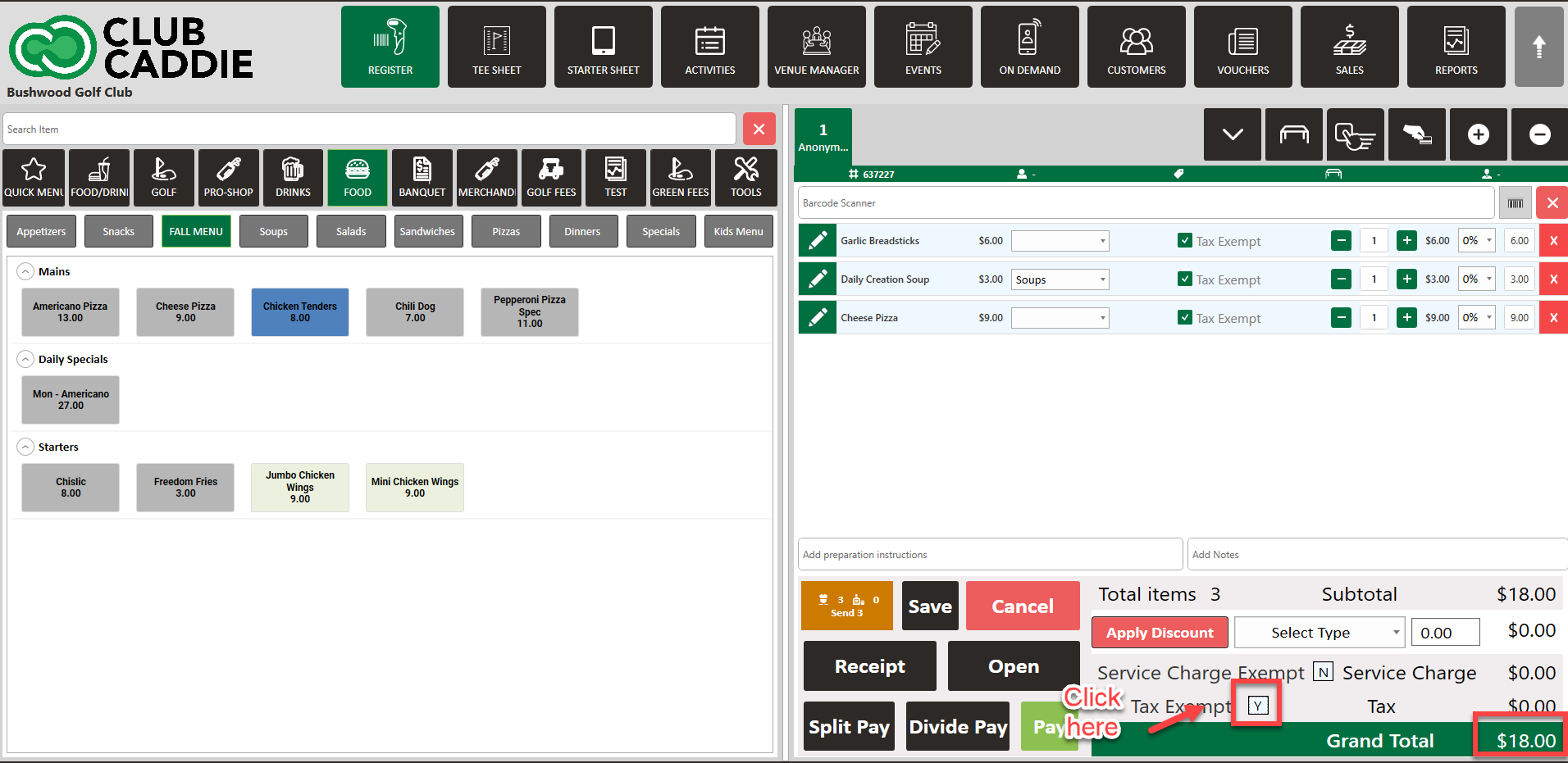
This article provides instructions on how to manage tax exemption settings on individual items or the entire tab in the register.
Step-By-Step:
Step 1: Open the register and select the tab where you want to add items. Add the desired items (e.g., drinks and food) to the tab.
Step 2: Locate the tax-exempt checkbox next to each individual item. This allows you to apply tax exemption on a per-item basis.
Step 3: You will notice the total amount reflects the tax exemption when applied.
Step 4: Alternatively, you can apply tax exemption to the entire tab if needed.
Related Articles
Tax and Service Charge Exempt Permission
Article Content: This is a guide on how to toggle on the feature in the register to select Service Charge Exempt and/or Tax Exempt. Step-by-Step Guide: Step 1: Navigate to Settings, and then select Manager Roles from the left-hand-side menu. Step 2: ...Register - Apply discount on individual item.
Article Contents: This article contains step-by-step instructions on how users can apply discounts on an individual item from the cart. Step-By-Step: Step 1: Select the REGISTER module from the module navigation menu. Step 2: Select items from the ...Register-Editing Item Quantity
Article Contents: This article gives step-by-step instructions on how to edit item quantities in the register. Step-By-Step: Step 1: After selecting the REGISTER module, click on an item to add it to the register tab. Step 2: Item quantities can be ...Register - Change/Edit Item Price
Article Contents: This article gives step-by-step instructions on how to change item prices in the register. Step-by-Step: Step 1: After selecting the REGISTER module, click on an item to add it to the register tab. Step 2: Item prices can be edited ...Register - Search an Item
Article Contents This article contains a step by step guide on how to Search an Item in your register. Step-By-Step: Step 1: Go to Register Tab from the main menu. Step 2: Type search item name in the search box above the tabs to search for a ...